In an age where remote communication is pivotal to business success, effective tools for screen sharing and collaboration have never been more crucial. Among the myriad of solutions available, CrankWheel stands out as a front-runner, offering a seamless, efficient, and user-friendly screen-sharing experience. This in-depth CrankWheel review delves into its features, pricing plans, and the essential steps to get started, ensuring you know exactly why this tool can benefit your enterprise, irrespective of size or sector.
What Is CrankWheel?
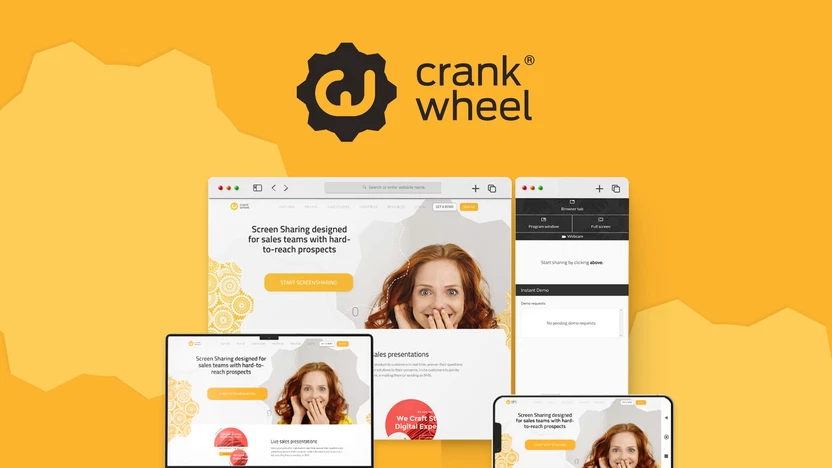
CrankWheel is a powerful screen-sharing solution designed to simplify real-time communication among teams, clients, and stakeholders. Whether you are showcasing a presentation, providing technical support, or conducting business meetings, CrankWheel allows you to share your screen instantly with anyone, anywhere. Unlike many traditional screen-sharing tools, which often come loaded with complicated settings and lengthy setup processes, CrankWheel is designed for speed and accessibility. It tackles common pain points in remote communication, making it an indispensable tool for professionals and businesses alike.
Why Choose CrankWheel?
In an age where first impressions matter, having the right tools for effective communication can significantly impact business relationships. Here are compelling reasons why CrankWheel deserves your attention:
- Speed: In business, time is money. CrankWheel enables you to start sharing your screen instantly, allowing you to attend to clients or team members without wasting precious moments on login credentials or complicated setups.
- User-Friendly Interface: One standout feature is its intuitive interface that requires minimal training. Even those who are not tech-savvy can quickly learn to utilize the platform effectively. This eliminates the fear of technology that often hampers communication.
- Broad Accessibility: Given its browser-based nature, CrankWheel ensures that almost everyone can gain access without the hassle of downloads. This guarantees that your clients or colleagues will have less friction when joining your meetings, increasing participation rates.
Key Features of CrankWheel
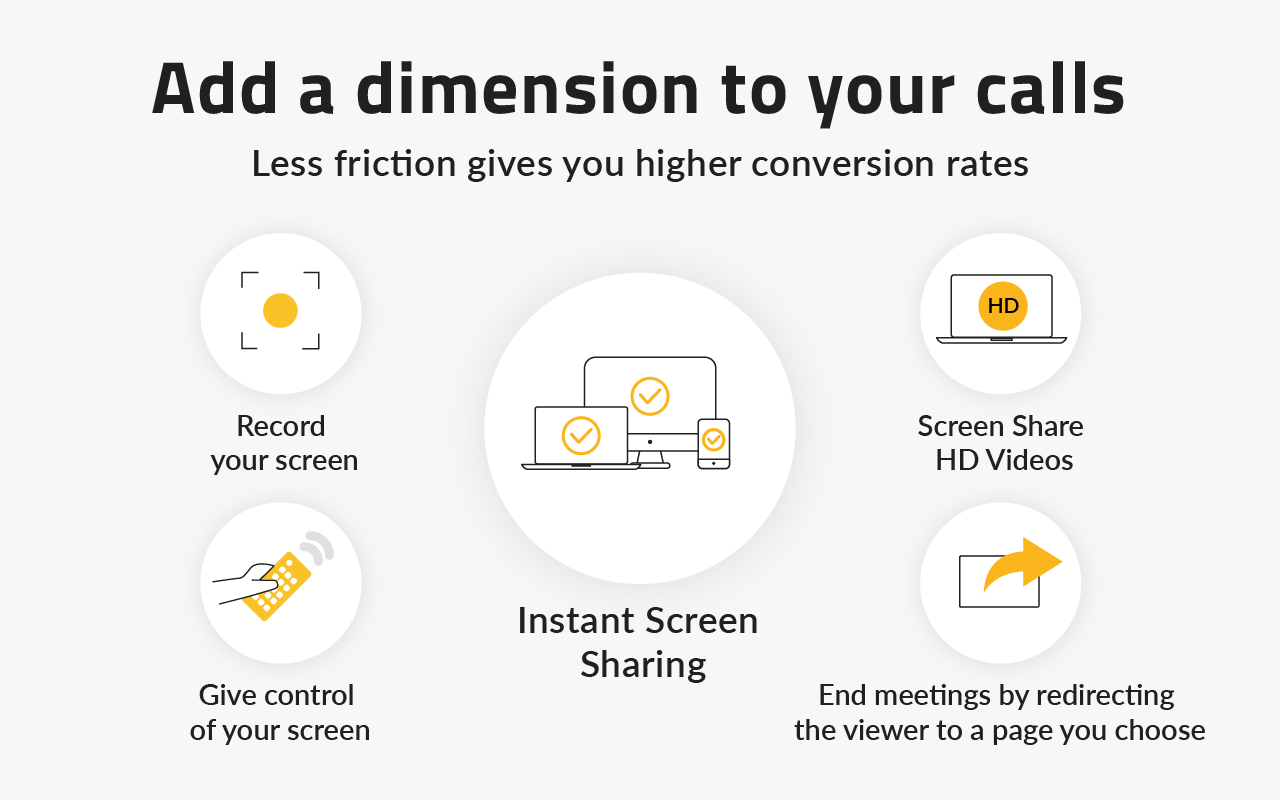
1. Instant Screen Sharing
The hallmark feature of CrankWheel is its instant screen-sharing capability. Unlike other tools that bog down the process with long login methods, you can start sharing your screen with a simple click.
Benefits:
- Ease of Use: Generate a unique link in seconds and send it to your audience. This straightforward functioning streamlines your workflow, making it simple to integrate screen sharing into your meetings.
- Engagement: By reducing barriers to access, you enhance audience participation, allowing everyone to focus on your content rather than grappling with technology.
2. No Downloads Required
A significant advantage of CrankWheel is that it operates entirely in the browser. Your audience doesn’t need to install any additional software to view your shared screen.
Benefits:
- Client Convenience: Clients can join your session with just a link. This convenience leads to higher attendance rates for crucial meetings.
- Professional Appeal: Providing a smooth experience reinforces your professionalism and makes a lasting impression.
3. Multi-Device Compatibility
Regardless of the device, whether it’s a desktop, tablet, or smartphone, CrankWheel guarantees compatibility.
Benefits:
- Flexibility: Participants can join from any device, enabling your team to collaborate on the go. Whether they are at the office, home, or moving, the flexibility makes it easier than ever to engage your audience.
4. Easy Integration
CrankWheel seamlessly integrates with popular CRM systems, enabling you to incorporate screen sharing directly into your workflow.
Benefits:
- Streamlined Processes: Pull up relevant client information while sharing your screen, thereby making presentations more effective and tailored.
- Enhanced Communication: Integration ensures that you maintain context, enhancing the overall communication experience, allowing for quick adaptations based on client needs.
5. Audience Engagement Tools
Audience engagement is vital for any presentation, and CrankWheel provides several built-in tools to enhance interaction during your sessions.
Benefits:
- Live Chat Functionality: Allows you to communicate directly with participants, answer questions, and gather feedback during presentations.
- Analytics Tools: Get insights into how engaged your audience was during your presentation, which can guide future improvements and enhance your presentation techniques.
6. Security Features
In a world increasingly concerned with data privacy and security, CrankWheel takes these matters seriously.
Benefits:
- Encrypted Connections: This serves as a safeguard for your sensitive information, providing peace of mind during every session.
- Compliance: By adhering to industry-best practices, CrankWheel ensures that your shared content is safe and secure against unauthorized access.
Pricing Plans
Understanding the financial commitment involved is crucial when considering the adoption of any software solution. CrankWheel offers a structured pricing model designed to cater to different business needs and sizes.
1. Free Plan
- Cost: $0
- Features: Perfect for small teams or freelancers just getting started. This plan includes basic screen-sharing capabilities for up to 10 participants. While it lacks some advanced features, it serves as a great entry point for users looking to explore the platform.
2. Pro Plan
- Cost: Approximately $29 per month when billed annually.
- Features: Ideal for small to medium-sized businesses requiring more functionality, the Pro Plan allows for up to 50 participants. It includes unlimited meetings, basic analytics tools, and extended support.
3. Business Plan
- Cost: Approximately $79 per month when billed annually.
- Features: Designed for larger organizations, this plan accommodates up to 100 participants and includes all features from the Pro Plan, enhanced analytics, and priority support for high-impact sessions.
4. Custom Pricing for Large Enterprises
For enterprises with unique needs, CrankWheel offers custom pricing models. This option allows large organizations to select specific features tailored to their requirements and negotiate terms that suit their operational budgets.
Getting Started with CrankWheel
Step 1: Sign Up
Starting with CrankWheel is a breeze. Visit the official website and choose your desired plan, starting with the free option if you’re hesitant. The registration process is straightforward, requiring only essential information.
Step 2: Install the Extension
Download the CrankWheel browser extension compatible with Chrome or Firefox. This extension enhances your ability to utilize the platform’s complete capabilities.
Step 3: Generate a Sharing Link
After installation, open your extension and click the “Share” button to generate a unique link. Send this link to your audience members to grant them immediate access to your shared screen.
Step 4: Start Sharing
Once your audience has received the link, you’re ready to present! Whether it’s for a detailed presentation or a simple troubleshooting session, you can initiate the screen-sharing process effortlessly.
Step 5: Utilize Engagement Tools
Encourage interaction during your session through the included live chat feature. Use analytics post-presentation to assess how engaged your audience was and gather insights for future sessions.
Essential FAQs About CrankWheel
To effectively gauge whether CrankWheel is right for you, consider these frequently asked questions:
1. Is CrankWheel suitable for all types of businesses?
Yes, CrankWheel is incredibly versatile and used across various industries such as education, finance, healthcare, and sales. Its accessibility and ease of use cater to different business models and operational needs.
2. Do participants need to download anything to join a session?
No, one of CrankWheel‘s primary advantages is that it requires no downloads. Participants can join directly through their web browsers, reducing barriers to participation.
3. What types of analytics does CrankWheel provide?
CrankWheel offers basic analytics, allowing you to track audience engagement metrics, such as how long participants remained engaged and whether they interacted during your session.
4. Can I record my sessions with CrankWheel?
Currently, CrankWheel does not feature native session recording. However, you can utilize third-party screen recording software if this functionality is essential for your business operations.
5. How can I ensure the security of my sessions?
CrankWheel employs encrypted connections, ensuring sensitive information is secure during shared sessions. This feature builds trust with clients, essential for maintaining long-term relationships.

Conclusion
In today’s fast-paced business environment, effective communication tools like CrankWheel can dramatically enhance how you interact with clients and team members. Its user-friendly design, instant screen-sharing capabilities, integrated analytics, and emphasis on engagement make it an indispensable resource for any organization striving for excellence.
Ready to transform your communication efforts and elevate your presentations? Sign up for CrankWheel today and take advantage of the free plan to experience its robust features firsthand. Discover how simple and effective screen sharing can be, and unlock the potential for more engaging interactions with clients and colleagues alike. Don’t miss the chance to boost your productivity and professional image—embrace the power of CrankWheel now! Sign up today and watch your business communication thrive.